test123123
Author: admin
-
PAY-PER-CLICK ADVERTISING
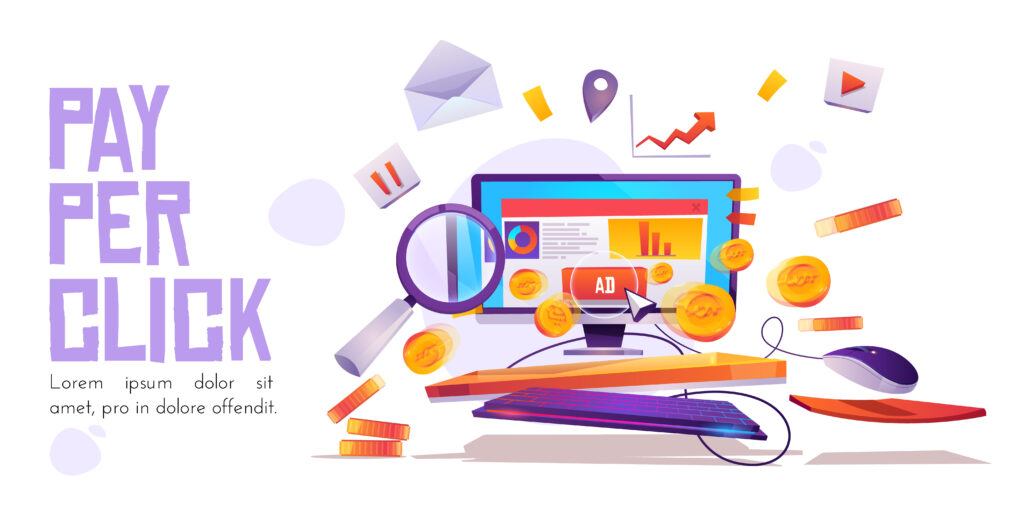
Pay-Per-Click (PPC) advertising is one of the most powerful and fastest ways to drive targeted traffic to a website.

Where Do PPC Ads Appear?
PPC is an umbrella term for paid advertising across various platforms:
-
Search Ads: Text-based ads that appear at the very top (and sometimes bottom) of a Search Engine Results Page (SERP), like Google or Bing. (e.g., An ad for “best shoes” when someone searches for that term).
-
Shopping Ads: Product listings that display an image, price, and store name directly on the SERP.
-
Display Ads: Visual (image or banner) ads that appear on third-party websites and apps (e.g., an ad you see on a news site).
-
Social Media Ads: Ads placed within social media feeds (e.g., Facebook, Instagram, LinkedIn).

How PPC Advertising Works: The Ad Auction
The most common and competitive form of PPC is Paid Search (like Google Ads). When a user types a query into a search engine, an instantaneous, automated process called the Ad Auction determines which ads show up and in what order.
The winner is determined by two main factors:
1. The Maximum Bid (The “Pay” Part)
Advertisers set a maximum bid—the highest amount they are willing to pay for a single click on a specific keyword (this is known as the Cost-Per-Click or CPC).
2. The Quality Score (The “Per-Click” Part)
The search engine doesn’t just reward the highest bidder; it also rewards the most relevant and helpful ads. This is measured by the Quality Score (or Ad Relevance on other platforms).
Quality Score is based on three main factors:
-
Ad Relevance: How closely the ad copy relates to the user’s search query (keyword).
-
Expected Click-Through Rate (CTR): How likely the ad is to be clicked (based on historical performance).
-
Landing Page Experience: The relevance, usability, and speed of the page the user lands on after clicking the ad.
Key Components of a Successful PPC Campaign
A profitable PPC campaign requires a well-organized structure:
-
Keyword Research: Identifying the specific terms and phrases your ideal customers are using (e.g., “best dog groomer in London”). You also use Negative Keywords to exclude irrelevant searches.
-
Ad Groups: Clustering closely related keywords together. Each Ad Group targets a specific theme.
-
Compelling Ad Copy: Writing clear, concise, and highly relevant ads with a strong Call-to-Action (CTA) that directly addresses the user’s intent.
-
Landing Pages: The dedicated page a user lands on after clicking the ad. This page must be 100% relevant to the ad’s message and optimized to convert the visitor into a lead or customer.
-
Tracking & Optimization: Setting up conversion tracking to measure the campaign’s success metrics.
-
Return on Ad Spend (ROAS): The revenue generated for every dollar spent on ads.
-
PPC is highly effective because it offers fast results, immediate visibility, and precise budget control.
-
-
Social Media Integration

Digital marketing social media integration is the process of aligning and connecting your social media efforts with all other components of your digital marketing strategy—like your website, SEO, email marketing, and paid advertising.
The goal is to create a seamless, unified customer experience that efficiently guides the users.

KEY AREAS OF INTEGRATION
1. Website and Social Media Integration
This is the most direct form of integration, focusing on bi-directional traffic flow.
Integration Element Purpose Social Share Buttons Placed on blog posts, product pages, and content to encourage visitors to amplify your content on their networks. Prominent Social Links Icons in the website header, footer, and contact page to drive traffic from your site to your social channels, increasing followers. Embedded Social Feeds Displaying live Instagram, X (Twitter), or TikTok feeds on your homepage or relevant landing pages. Benefit: Provides dynamic, fresh content and Social Proof (UGC). Social Login Allowing users to log in to your website/app using their social accounts (e.g., Facebook or Google). Benefit: Simplifies the user experience and checkout process. 2. Content Marketing Integration
Social media is the engine for amplifying your content.
-
Content Amplification: Every blog post, whitepaper, or video should be repurposed into multiple, platform-specific social posts (e.g., a LinkedIn carousel, an Instagram Reel, and a set of promotional Tweets) to maximize reach.
-
SEO Boost: Sharing content on social media increases visibility, which can lead to more traffic and potentially more backlinks, indirectly benefiting your search rankings.
-
Targeted Content: Use social listening tools to identify trending topics and common customer questions, then create blog content on your website that directly addresses those needs.
3. Paid Advertising Integration (PPC)
Social ads and search ads work better when they communicate.
-
Retargeting: Use the tracking pixel (like Meta Pixel or TikTok Pixel) on your website to build audiences of users who visited your site but didn’t convert. You then use these custom audiences to run highly targeted ads on social media (retargeting).
-
Consistent Messaging: Ensure the imagery, copy, and Call-to-Action (CTA) in your Google Ads match the messaging and visual identity of your social media ads and organic posts.
-
A/B Testing Insights: Use the engagement data from your organic social posts to inform which ad creatives (images, videos, headlines) you should use in your paid campaigns.
4. CRM/Email Marketing Integration
Connecting social media to your lead management system is critical for ROI tracking.
-
Lead Generation Forms: Integrate lead forms on platforms like Facebook and LinkedIn directly into your CRM (e.g., HubSpot, Salesforce).
-
Email Follow-up: Include social media links and share buttons in your email newsletters. Conversely, encourage email sign-ups directly on your social profiles (e.g., “Link in Bio” landing pages).
Essential Tools for Integration
The right tools allow you to manage, automate, and measure your integrated strategy:
Tool Category Examples & Purpose Social Media Management (SMM) Hootsuite, Sprout Social, Buffer: Centralize scheduling, publishing, engagement (unified inbox), and analytics across all social platforms. Web Analytics Google Analytics (GA4): Critical for tracking where traffic and conversions are coming from (the “Referral” channel) by using UTM parameters in every social media link. Design/Content Creation Canva, Adobe Express: Ensure consistent branding, colors, and fonts across all social posts and digital assets. CRM/Marketing Automation HubSpot, Zoho Social: Connects lead activity on social media to the sales pipeline, helping calculate the true Customer Acquisition Cost (CAC) and CLV. Best Practices for Success
-
Maintain Brand Consistency: Your visual identity (logo, colors, fonts) and your brand voice must be uniform across your website, emails, and all social channels.
-
Use UTMs, Always: To properly measure which social posts drive website actions (like sales or lead sign-ups), you must use unique UTM tracking codes on every link you post on social media.
-
Prioritize Social Listening: Use social media to gain real-time customer insights about your products, competitors, and industry trends, and feed that information back into your content and product development teams.
-
Align Goals: Ensure your social media goals (e.g., increase engagement by 15%) directly support your broader digital marketing goals (e.g., increase overall website traffic by 5%).
-
-
Digital marketing Performance Tracking

Performance tracking is what turns marketing from guesswork into a quantifiable, revenue-driving business function.
It involves a structured process of defining goals, selecting key metrics, and using the right tools to measure and analyze results to drive continuous improvement.

Core Steps for Performance Tracking
-
Define Clear Objectives and KPIs: Your tracking must align with your business goals. For example, if your objective is Brand Awareness, your KPI might be Impressions or Social Media Reach. If your objective is Sales, your KPI will be Conversion Rate and ROI.
-
Configure Tracking Tools: Implement the necessary software (like Google Analytics) and tracking parameters (like UTM codes) across all your digital channels to accurately capture data.
-
Gather and Analyze Data: Regularly collect data from all your platforms and analyze it to find trends, spot successes, and identify areas for improvement.
-
Refine and Optimize: Use the insights gained from your analysis to make data-driven adjustments to your campaigns, budgets, and overall strategy.

Key Performance Indicators (KPIs)
KPIs are the most critical metrics you should track, as they relate directly to your business goals.
Financial/Business KPIs
KPI What It Measures Calculation Example Return on Investment (ROI) The profitability of your marketing spend. $frac{text{Revenue} – text{Marketing Cost}}{text{Marketing Cost}} times 100$ Customer Acquisition Cost (CAC) The average expense to acquire one new customer. $frac{text{Total Marketing Expenses}}{text{Number of New Customers}}$ Customer Lifetime Value (CLV) The total revenue a customer is expected to generate over their relationship with your business. (Average Purchase Value x Purchase Frequency) x Average Customer Lifespan Cost Per Lead (CPL) The cost to acquire one lead (potential customer). $frac{text{Ad Spend}}{text{Number of Leads}}$ Channel-Specific KPIs
Digital Channel Key Metrics to Track Website/Web Analytics Website Traffic (Organic, Paid, Direct, Referral), Conversion Rate, Bounce Rate, Average Session Duration, Pages Per Session. SEO (Search Engine Optimization) Organic Traffic, Keyword Rankings, Backlinks, Click-Through Rate (CTR) on Search Results. PPC (Paid Advertising) Click-Through Rate (CTR), Cost Per Click (CPC), Cost Per Acquisition (CPA), Return on Ad Spend (ROAS). Social Media Engagement Rate (likes, shares, comments), Follower Growth, Post Reach, Traffic from Social. Email Marketing Open Rate, Click-Through Rate (CTR), Unsubscribe Rate, Conversion Rate from email. 
Essential Tracking Tools
-
Google Analytics (GA4): The industry standard for website performance, user behavior, traffic sources, and conversion tracking.
-
Google Search Console (GSC): Essential for monitoring your site’s presence in Google Search results, checking indexing status, and seeing which queries drive organic traffic.
-
CRM (Customer Relationship Management) Systems (e.g., HubSpot): Central platforms for managing and analyzing customer interactions, from initial lead to final sale, providing data for CAC and CLV.
-
Ad Platform Analytics (e.g., Google Ads, Meta Business Suite): Provides detailed metrics specific to your paid campaigns (e.g., CPC, Impressions, ROAS).
-
SEO Tools (e.g., Semrush, Ahrefs): Used for monitoring keyword rankings, backlink profiles, and competitor performance.
Best Practices
-
Avoid Vanity Metrics: Focus on actionable metrics (like Conversion Rate, CAC, and ROI) rather than metrics that look good but don’t drive business results (like simple Follower Count or Unique Visitors).
-
Use UTM Parameters: Systematically add Urchin Tracking Module (UTM) codes to all your links (in emails, social posts, ads, etc.) to accurately track which campaigns and sources are driving traffic and conversions in Google Analytics.
-
Build Custom Dashboards: Use tools (like Google Looker Studio or integrated reporting platforms) to bring all your data into one clear, visual dashboard that is tailored to your specific KPIs.
-
Benchmark for Context: Compare your current performance against past campaigns, industry standards, and competitor performance to provide context for your results.
Would you like to dive deeper into tracking performance for a specific channel (like SEO, paid ads, or social media) or learn more about calculating a specific KPI (like ROI or CLV)?
-
-
Digital Marketing Content Creation

Content Creation
These are the non-negotiables for high-performing digital content:
A. Optimization
-
SEO is Non-Negotiable: Ensure your titles, headers ($H1, H2, H3$), and image alt-text include relevant keywords.
-
Prioritize User Intent: The content must directly answer the user’s search query or address their immediate need.
-
Mobile-First Design: A majority of digital consumption is on mobile. Your content must be easy to read, watch, and interact with on a small screen.
B. Quality and Value
-
Focus on Quality Over Quantity: One in-depth, well-researched article or video will outperform ten “thin” pieces of content.
-
Be a Teacher, Not a Salesperson (Mostly): 80% of your content should be valuable and educational, and 20% can be promotional. Earn trust before asking for a sale.
-
Originality & Authority: Offer unique data, proprietary insights, or a fresh perspective that sets you apart from your competitors.
C. Distribution and Iteration
-
The 80/20 Rule: Spend 20% of your time creating the content and 80% of your time promoting it.
-
Tailor for the Channel: Don’t just post the same link everywhere. Create a custom caption for LinkedIn, a specific Reel for Instagram, and a personalized subject line for email.
-
Measure and Refresh: Use analytics to see what content performs best. Update older content regularly (refreshing statistics, links, and examples) to keep it relevant and maintain its SEO ranking.
.

The Content Strategy Foundation
Before creating anything, you must define why you are creating it and who it’s for.
Step Description Key Action Items Define Goals & KPIs Every piece of content must serve a measurable business objective (Awareness, Lead Generation, Sales). Set S.M.A.R.T. Goals (e.g., “Increase organic traffic by 15% this quarter”). Track KPIs like website traffic, engagement rate, or Cost Per Lead (CPL). Understand Your Audience Content must address the specific questions, pain points, and interests of your target customers. Develop Detailed Buyer Personas (including their preferred online channels and content formats). Use social listening and analytics to find common questions. Map to the Buyer Journey Content should guide the user from being unaware of their problem to purchasing your solution. Awareness: Educational blog posts, infographics. Consideration: Webinars, comparison guides, e-books. Decision: Case studies, testimonials, product demos. Conduct Topic & Keyword Research Discover what your audience is actively searching for. Use SEO tools (Google Keyword Planner, SEMrush) to find high-intent keywords and identify content gaps compared to competitors. 
Essential Content Types and Formats
You need a varied content mix to appeal to different users and platforms. The best approach is to create a high-value, long-form asset (like a whitepaper) and then repurpose it into many short-form assets.
Content Format Primary Goal Best Digital Channel(s) Blog Posts & Articles SEO, Education, Thought Leadership, Driving Traffic. Your Website/Blog, SEO Long-Form Video Demonstrations, Tutorials, Deep Interviews, Webinars. YouTube, Hosted Landing Pages Short-Form Video (Reels/TikTok) Engagement, Trending, Brand Personality, Quick Tips. Instagram, TikTok, YouTube Shorts Infographics/Visuals Simplifying Complex Data, Shareability. Pinterest, Social Media, Embedded in Blog Posts Case Studies Building Trust, Proof of Concept, Lead Nurturing. Decision Stage Landing Pages, Email Marketing E-books/Whitepapers High-Value Lead Generation (Gated Content). Dedicated Landing Pages (Requires Email Signup) Email Newsletters Nurturing Leads, Loyalty, Direct Sales, Announcing New Content. Email Marketing Systems -